
Use visual elements
Studies show that the combination of a visual image and audio is more effective in learning than just one or the other. Anything done in access can create cognitive load and be counterproductive. Therefore, the presenter should always have their notes and key points hidden while presenting. The learner's view should be simplified and the information should be coherent.
Have clear objectives
Why are you presenting and what is the expected outcome? It is easy to get carried away when speaking in front of others, especially if the presenter gets anxious and nervous. Having clear objectives helps the presenter stay on track while being direct to the main points. Bloom’s taxonomy (figure 1.1) is a great tool to help identify the desired outcomes for a presentation. Doing this will also help draft quizes, review questions and track the effectiveness of the presentation.
Effective communication
A speech that has clutter becomes confusing and hard to stick to, however, a speech that is clean, clear, concise, and complete is easier to understand. A great way to help others comprehend and memorize information is to emphasize what is being taught by sharing compelling and relatable stories. Stories are more powerful because they evoke context and emotions in the learner.
If needed you can always ask for takeaways from the lesson or engage in conversation to guarantee everyone is following along.
Look at the audience
By observing the audience it becomes clear, by their faces, if they understand, if they are confused, or if they need a break. Learning to read the room is a powerful skill to have. Often people don't want to ask questions but their faces will show they are confused, this is a great opportunity to repeat or give additional examples. If your audience is falling asleep this means it's time for a break or a group activity. It is hard to stay focused for more than 20 minutes, therefore, the presenter should introduce a blended learning strategy to keep everyone engaged.
Be prepared
As the saying goes “Practice makes you better”, for that reason it is necessary to test the slides, presentation prompts, and tech equipment. Going through the presentation, getting familiar with the content, and making additional notes are also helpful to ensure the presentation will go as expected. Another idea, but not required, is to present to someone else in your team who has a general understanding of the topics and can provide valuable feedback. It is important that the presenter maintains a calm attitude and does not rush through the content.
Conclusion
Presentations are used daily to teach, align expectations and share knowledge within a company. The skills presented in this blog post are great for beginners and also a valuable refresher for advanced presenters. Lastly, if the presenter demonstrates confidence and dominance of the content, the audience will be engaged and respectful. This places the presenter as an authority on the subject and a point of contact for further clarification of what was discussed.
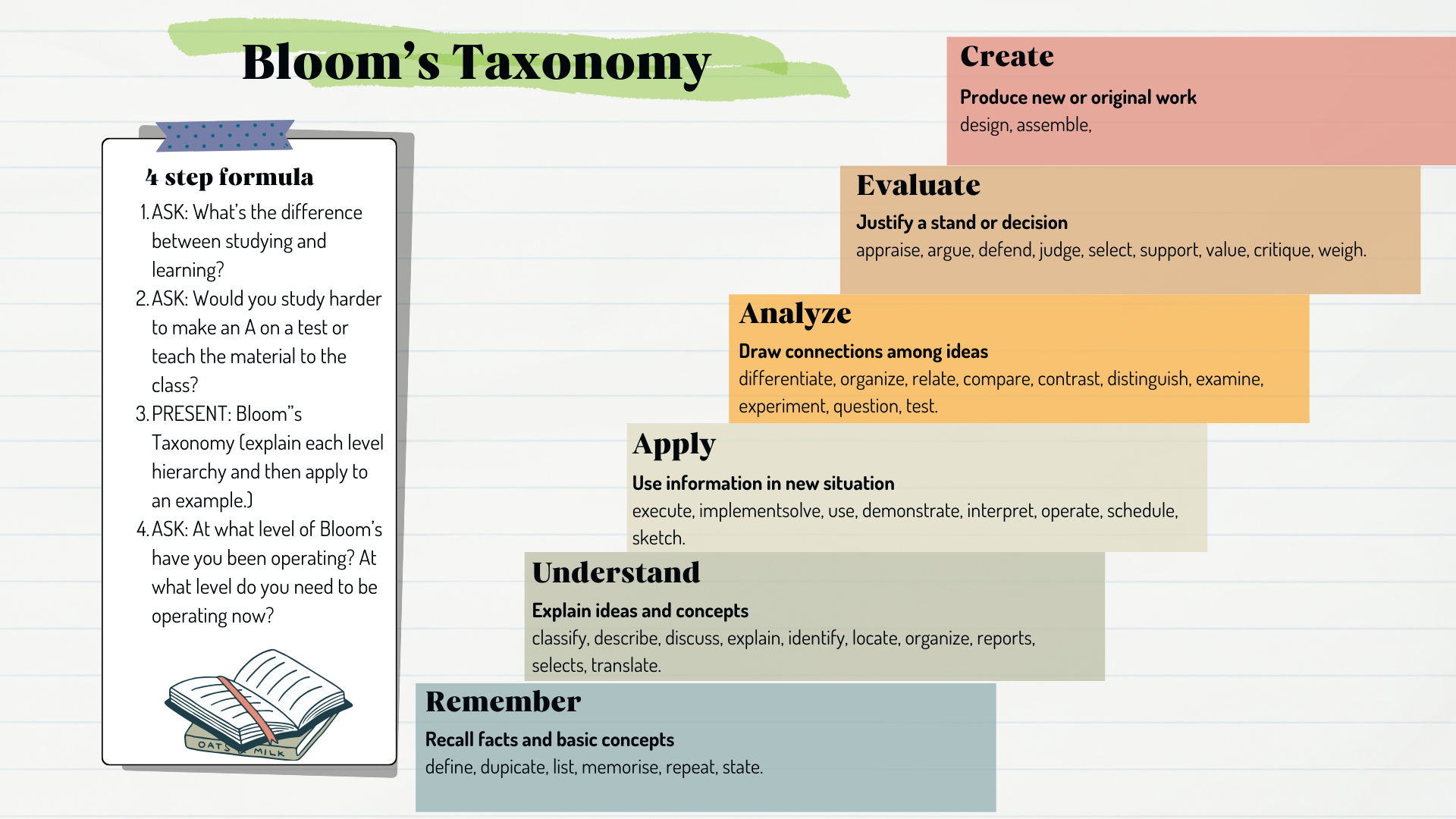
Figure1.1